
Key Takeaways
- CGM choice depends on treatment, not brand. Insulin users typically need a prescription system like Dexcom G7 or FreeStyle Libre 3 Plus, while non-insulin users can now go OTC with Stelo or Lingo.
- Fingersticks still matter as backup, especially during sensor warmup, fast glucose swings, or when a reading doesn’t match how you feel.
- Insurance coverage varies a lot. Medicare and most commercial plans cover prescription CGMs for insulin users, but OTC devices are cash-pay only.
Picking the best CGM comes down to one question. What does your body need to see, and how often. A continuous glucose monitor tracks blood sugar day and night without constant fingersticks.
In 2026, finding the best CGM means weighing more real choices than ever. This guide walks through how a CGM works, how it stacks up against the best glucose meters on the market, and what actually matters when you compare devices side by side.
What Is a CGM?
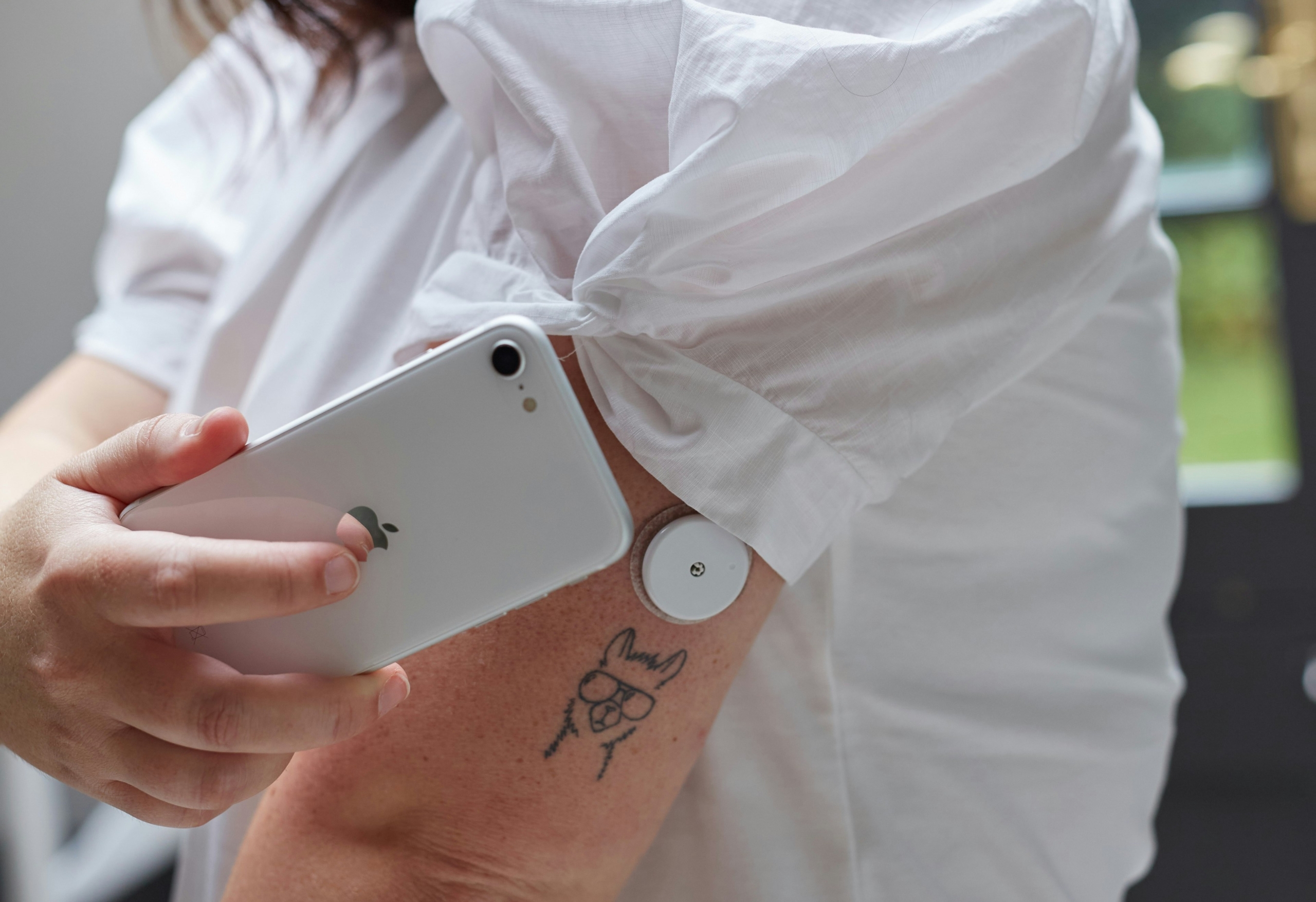
A CGM is a small wearable sensor, usually placed on the arm or belly, that measures glucose in the fluid under your skin. A transmitter sends that data to a phone app or receiver every few minutes. Unlike a one-time fingerstick, a CGM builds a picture of your glucose trend over hours and days.
That trend data is part of what makes the best CGM options so useful for insulin dosing, meal timing, and catching lows before they become dangerous. For newly diagnosed patients, understanding this basic mechanism is usually step one before comparing brands.
How Do CGMs Work?
So how do CGMs work in practice? The sensor’s tip sits just under the skin and reacts with glucose in interstitial fluid, the liquid that surrounds your cells. A small electrical signal is converted into a glucose reading and then sent wirelessly to your device.
Most systems update every one to five minutes. If you want the full mechanical breakdown, our post explaining “What Is Continuous Glucose Monitoring” covers sensor chemistry and calibration in more depth. Warmup time varies by brand, and some sensors start reading within 30 minutes while others take up to two hours to stabilize.
Knowing how CGMs work also explains why readings sometimes lag behind a fingerstick. Interstitial fluid changes a few minutes after blood glucose does, so the sensor is always reporting a slightly delayed picture. That lag matters most right after a meal or a workout, when levels move fast.
CGM vs. Other Blood Glucose Meters: What’s the Real Difference
Traditional blood glucose meters, sometimes called BGMs, need a fresh drop of blood for every reading. The best glucose meters on the market today are fast and cheap, often under twenty dollars for the meter itself, but they only capture a single moment in time.
A CGM works differently. It captures hundreds of readings a day and shows the direction your glucose is heading, not just a snapshot.
That doesn’t make a fingerstick meter obsolete though. Most CGM users still keep one on hand for calibration checks or for moments when a sensor reading seems off. Using a fingerstick is important when you feel different either high or low.
Cost is where the two really diverge. A meter and its test strips cost far less upfront than any CGM system, which is one reason people without insurance often stick with fingersticks as their primary tool.
The tradeoff is convenience. A CGM removes the daily routine of pricking a finger, and for people managing insulin closely, that ongoing convenience usually wins out over the lower price tag. For head-to-head numbers on how the two compare in practice, see our guide on CGM accuracy and testing methods.
No Fingersticks Needed
Yes. That’s the whole point of modern CGM technology. Whether you can check blood sugar without pricking your finger and still get numbers you trust is a fair question, and for most users the answer is yes once the sensor clears its warmup period.
Factory-calibrated sensors like the Dexcom G7 and FreeStyle Libre 3 Plus need no routine fingersticks at all under normal use, though a backup meter is still smart to own. Knowing how CGMs work under the hood is what makes that no-fingerstick claim believable instead of just marketing.
Types of CGMs: Prescription vs. Over-the-Counter
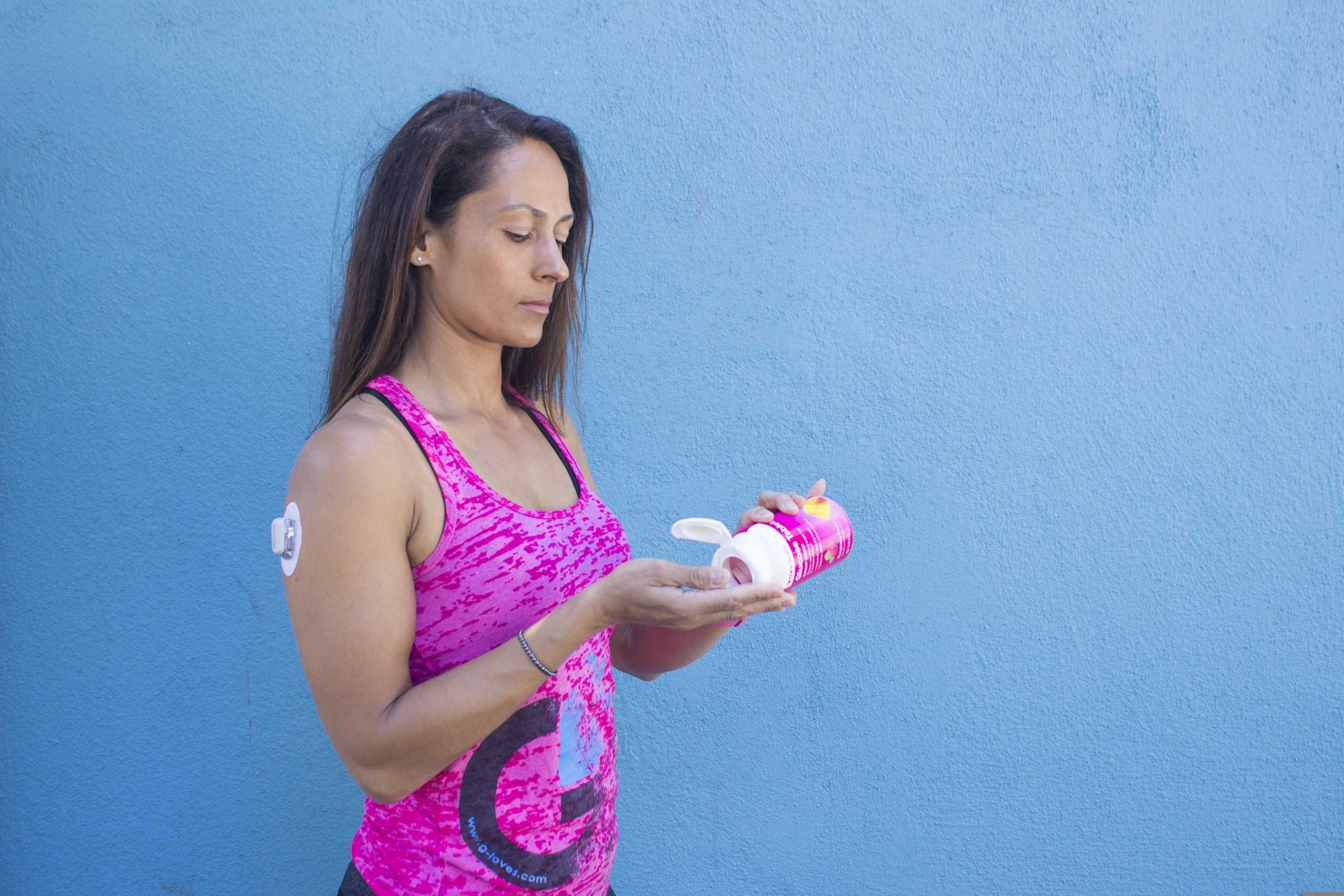 Until 2024, every CGM sold in the US required a prescription. That changed when the FDA cleared Dexcom’s Stelo as the first over-the-counter biosensor, with Abbott’s Lingo following soon after. Here’s how the current lineup breaks down for anyone weighing the best CGM against a newer OTC option.
Dexcom G7
Dexcom G7 is a prescription CGM built for people using insulin. It offers a 10-day wear time, a 30-minute warmup, and direct streaming to an Apple Watch.
Knowing this specific system helps explain the fast warmup, since the G7’s sensor chemistry stabilizes quicker than older models. Our Dexcom guide covers setup and compatible pumps in detail.
FreeStyle Libre 3 Plus
FreeStyle Libre 3 Plus is Abbott’s prescription option, worn for up to 15 days. It reports among the lowest error rates of any consumer sensor on the market, a big reason it shows up on most best CGM shortlists. Read our FreeStyle Libre guide for wear tips and reader compatibility.
Stelo and Lingo
Stelo and Lingo are the OTC entries. Stelo targets people with type 2 diabetes who don’t use insulin, while Lingo is built for general wellness tracking rather than diabetes management. Neither requires a doctor visit, which is a real draw for anyone who wants a low-friction path to a CGM without a prior authorization delay.
Eversense 365
Eversense 365 takes a different approach entirely. A sensor is implanted under the skin of the upper arm and lasts a full year, with minimal fingersticks needed for calibration.
How to Choose the Best CGM for You
Choosing the best CGM starts with your treatment plan, not brand loyalty. Ask your doctor whether you’re a candidate for insulin dosing off CGM data alone or whether you’ll still need confirmatory fingersticks. Our article on choosing a glucose meter walks through the same questions a diabetes educator would ask before recommending a specific system.
Consider wear time next when narrowing down your options. A 10-day sensor means more frequent changes than a 15-day one, which adds up over a year of diabetic supplies.
Budget matters too. Out-of-pocket costs for OTC devices like Stelo start around ninety nine dollars for a two-sensor pack, while prescription systems depend heavily on your insurance formulary and can cost far less with coverage. Revisiting how CGMs work for each brand before you buy can save a return hassle later.
Sensor Placement Tips
Where you place a sensor changes how well it performs day to day. Most systems are approved for the back of the upper arm, and some also allow abdominal placement. Rotate sites between applications to avoid skin irritation and scar tissue buildup over time. Avoid inserting near a beltline, a bra strap, or scar tissue from a previous sensor.
CGM Alerts Explained
Every CGM lets you set high and low glucose alerts, and getting these right is part of choosing the best CGM for daily life. Low alerts typically trigger around 70 mg/dL, giving you time to treat before symptoms hit. High alerts vary by person but often sit between 180 and 250 mg/dL.
Some systems allow a second phone to receive the same alerts, which matters for parents of kids with type 1 diabetes or caregivers of older adults. Understanding how CGMs work behind an alert, meaning the delay between a real change and a triggered notification, helps explain why alerts sometimes feel a beat late.
CGM Accuracy
Part of understanding how CGMs work is understanding how its accuracy gets measured. That comes down to a metric called MARD, short for mean absolute relative difference. A lower MARD means a device tracks closer to real blood values, which is exactly what determines the best CGM on paper.
Top prescription sensors now land under nine percent, a number that was unheard of five years ago. Even the best CGM will drift briefly during rapid glucose swings, like right after a big meal or a hard workout, because interstitial fluid lags blood by several minutes.
That’s normal and not a sign of a defective sensor, though it’s worth confirming with one of the best glucose meters if a number looks off.
CGM Troubleshooting
Every sensor user runs into an odd reading eventually, even with a well-reviewed device. If a sensor reports numbers that don’t match how you feel, don’t ignore the mismatch. Confirm with a finger-stick glucose meter before making a treatment decision.
Common culprits include a sensor still in its warmup window, dehydration, or an adhesive edge that’s started to lift. Reviewing how CGMs work during warmup explains most of these early mismatches, since the sensor hasn’t finished calibrating against your body chemistry yet.
If a sensor fails within its first 24 hours, most manufacturers replace it free of charge.
Buying CGM Supplies
Once you’ve settled on the best CGM for your situation, keeping supplies stocked is the easy part. ADW Diabetes carries a full range of CGM supplies, including sensors, transmitters, and adhesive overlays, alongside the rest of our diabetic supplies catalog for meters, strips, lancets, and the best glucose meters for backup testing.
Buying in bulk when your insurance allows it can also lower your per-sensor cost over the year, whether you land on a prescription system or one of the best CGM options sold over the counter.
Final Thoughts
There’s no single best CGM for everyone. The right pick depends on whether you use insulin, how your insurance is structured, and how much you value a long wear time over a lower upfront price.
What matters most is picking a device you’ll actually wear consistently, since even the best CGM sitting in a drawer helps no one manage their diabetes.
Explore our related CGM articles for more in-depth information on the topic:
- Continuous Glucose Monitoring for Diabetes
- A Comprehensive Guide to Understanding Dexcom G7 Receiver Features
- Dexcom G4 Platinum Continuous Glucose Monitor
- Dexcom Seven Plus
- FreeStyle Libre CGM System for Diabetes
- Devices to Make Managing Diabetes Easier
- What Is Continuous Glucose Monitoring?
- News in the Diabetes World and Technology
- The Role of Technology in Diabetes Management: Checking Blood Sugar With Your Phone, Apps and Online Support Groups










Leave A Comment